This article provides step-by-step instructions on how to check the number of requests made to the API to monitor Look-to-Book usage.
Tip: You can check API consumption by accessing the Intranet directly or through your Cangooroo platform using the Reports option.
1. Access the Intranet:
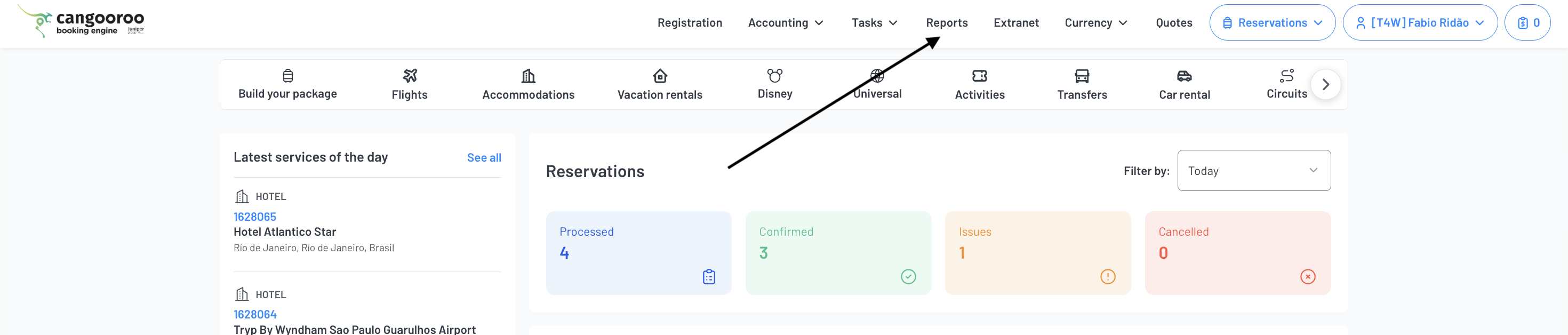
Log in to your Cangooroo platform and click Reports in the top navigation menu.
The system will automatically open a new tab, giving you access to the Intranet.
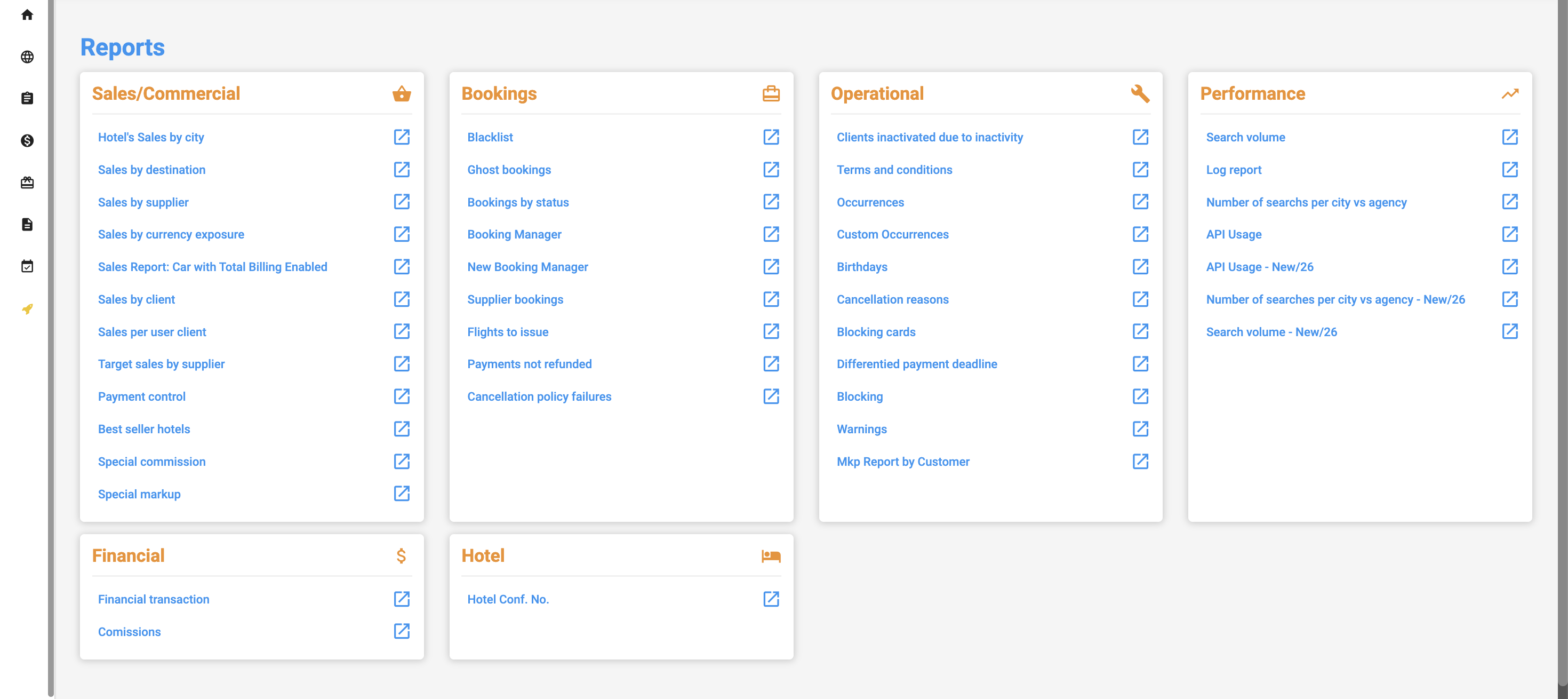
2. View the Intranet:
A new Intranet tab will open, where you can check and monitor API request consumption.
3. Access the API Consumption Report:
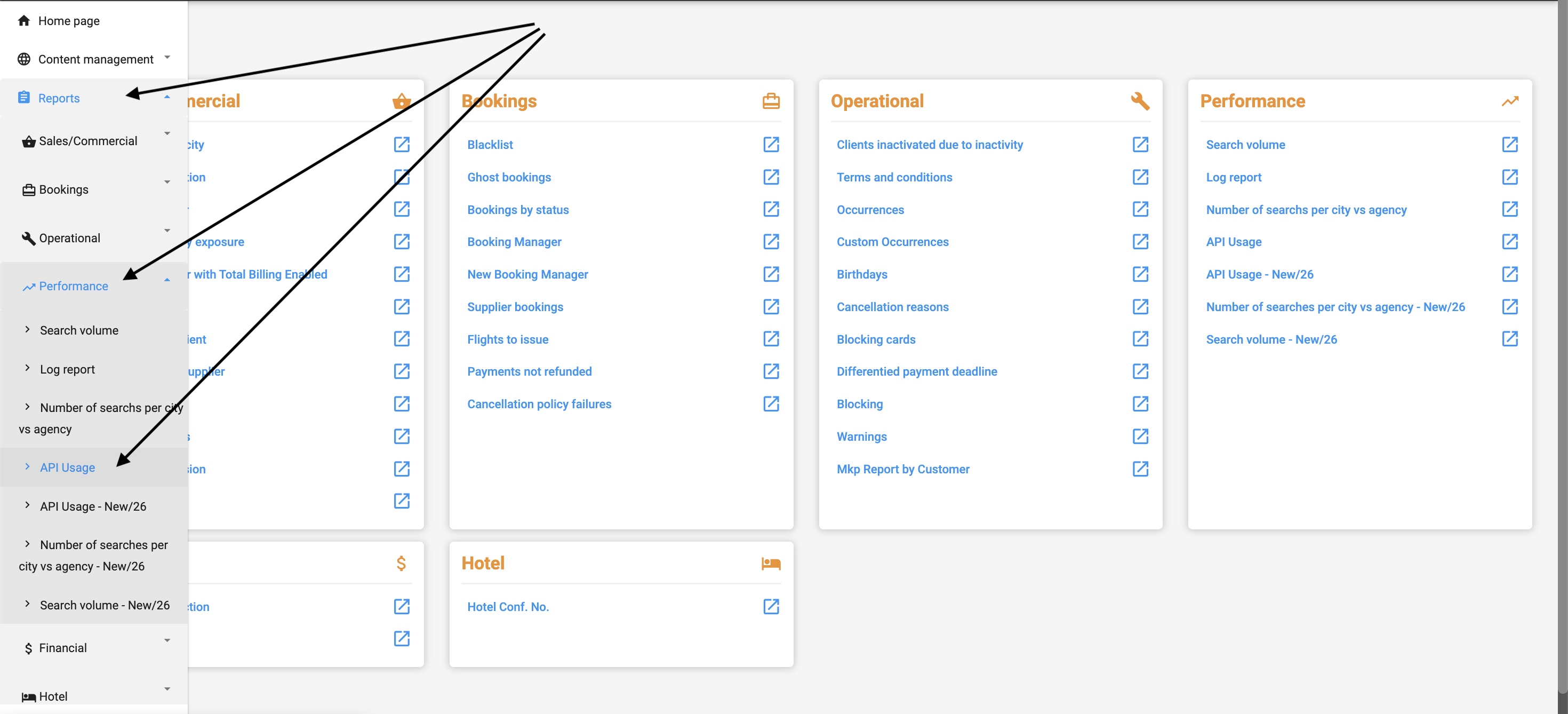
In the Intranet, hover your mouse over the left-hand sidebar menu and select Reports > Performance > API Usage.
4. View and Filter API Consumption:
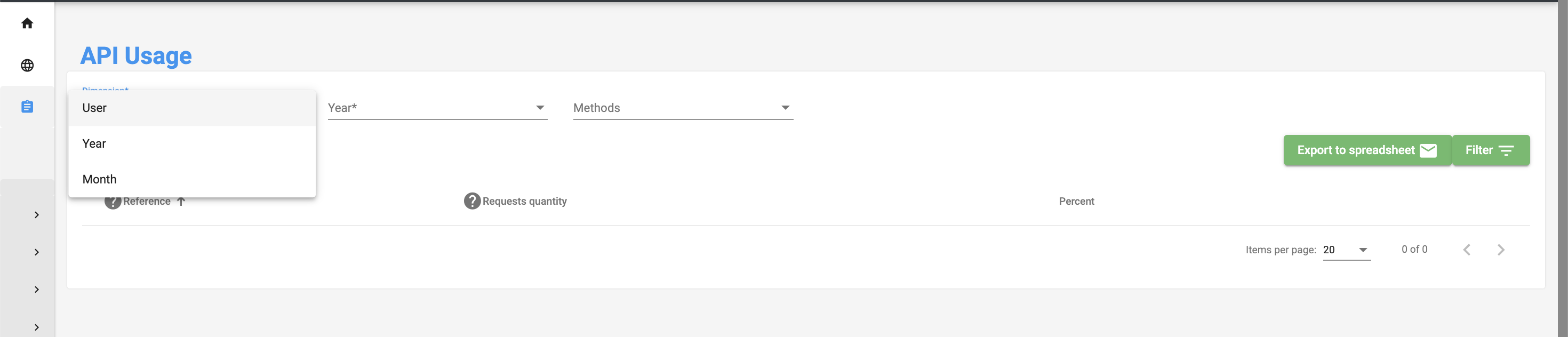
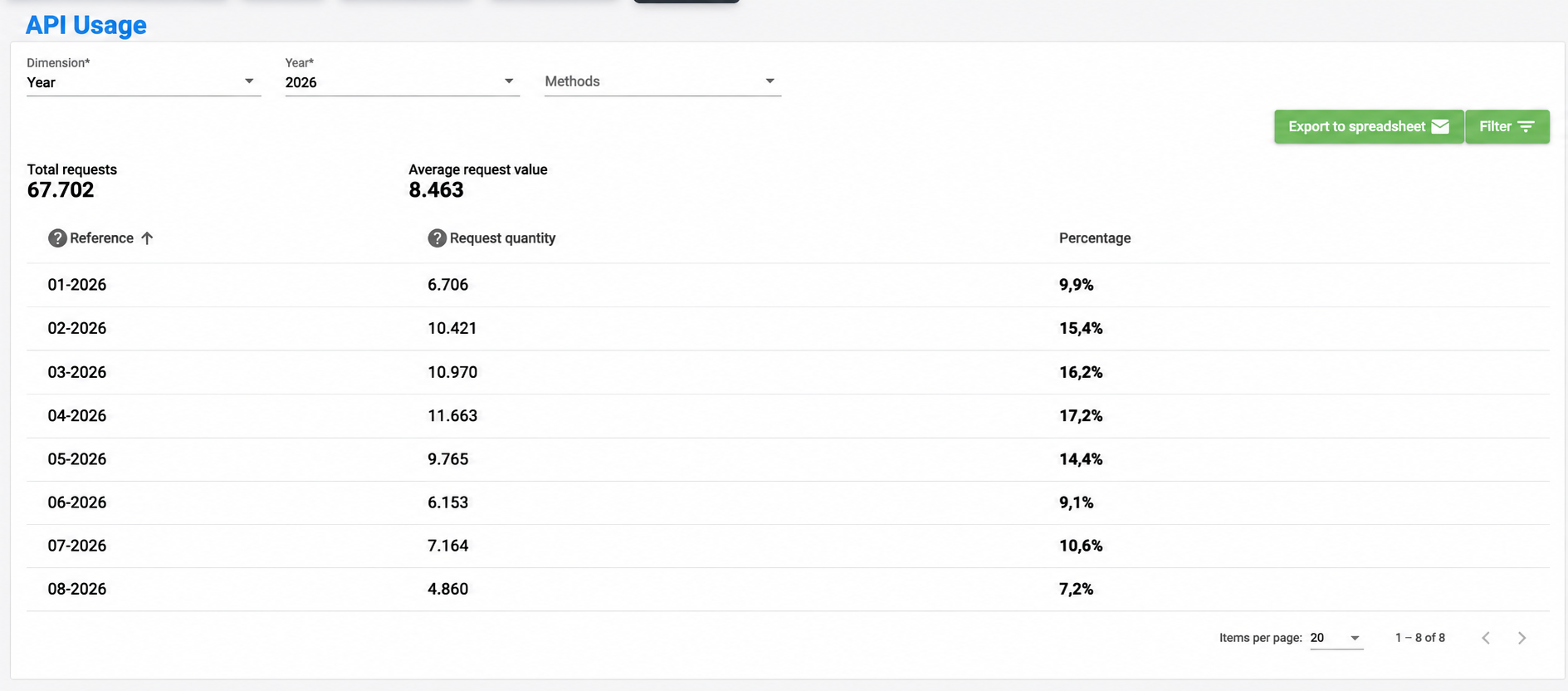
In the API Consumption section, you can filter information by date range using the available menu options, and by Dimension (User, Year, and Month), applying the corresponding filters as shown in the example below.
5. View and Export Results:
After selecting the desired filters, you can view the results on the screen or export the information to an Excel file.
When you request an export, the file will be sent directly to the email address of the user currently logged in to the platform.
If you have any additional questions, please contact our support team at support@cangooroo.net.
We hope this article has been helpful.
Cangooroo Team
Este artigo foi útil?
Que bom!
Obrigado pelo seu feedback
Desculpe! Não conseguimos ajudar você
Obrigado pelo seu feedback
Feedback enviado
Agradecemos seu esforço e tentaremos corrigir o artigo