Smart Commission is a tool that allows the agency to manage its own commission.
⚠️ Attention: The amount paid to you will not change. The agency will have the flexibility to increase or decrease the commission charged to its own customer only.
For the agent to be able to manage their agency’s commission, the “Smart Commission” option must be enabled in the agency settings.
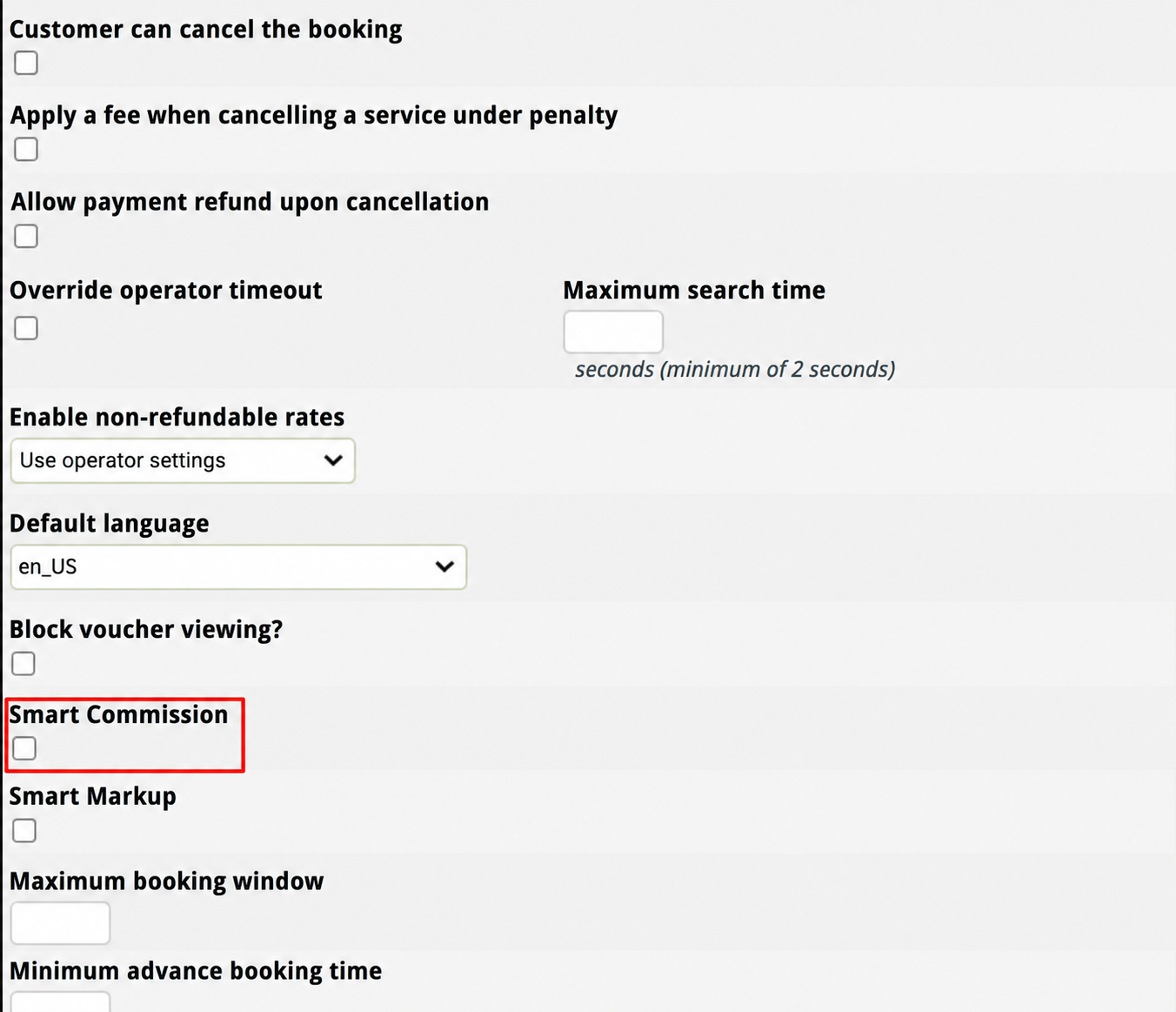
Once this configuration is ready, the agent should perform the search and select the desired option. Then, simply follow the steps according to the environment being used:
In Cangooroo
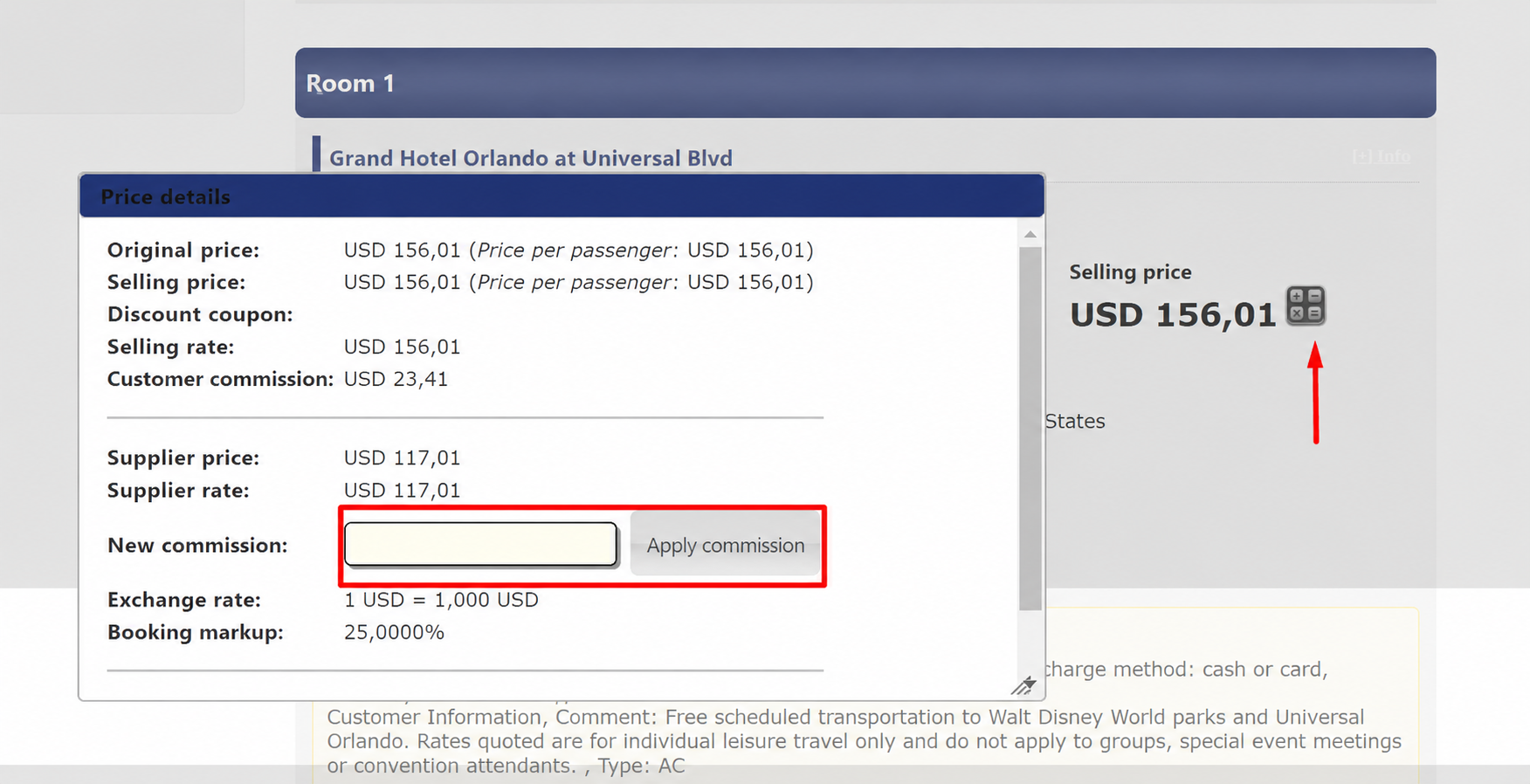
On the pre-booking page, click the calculator → enter the new commission amount → click Apply Commission → the value will be updated automatically.
In Front
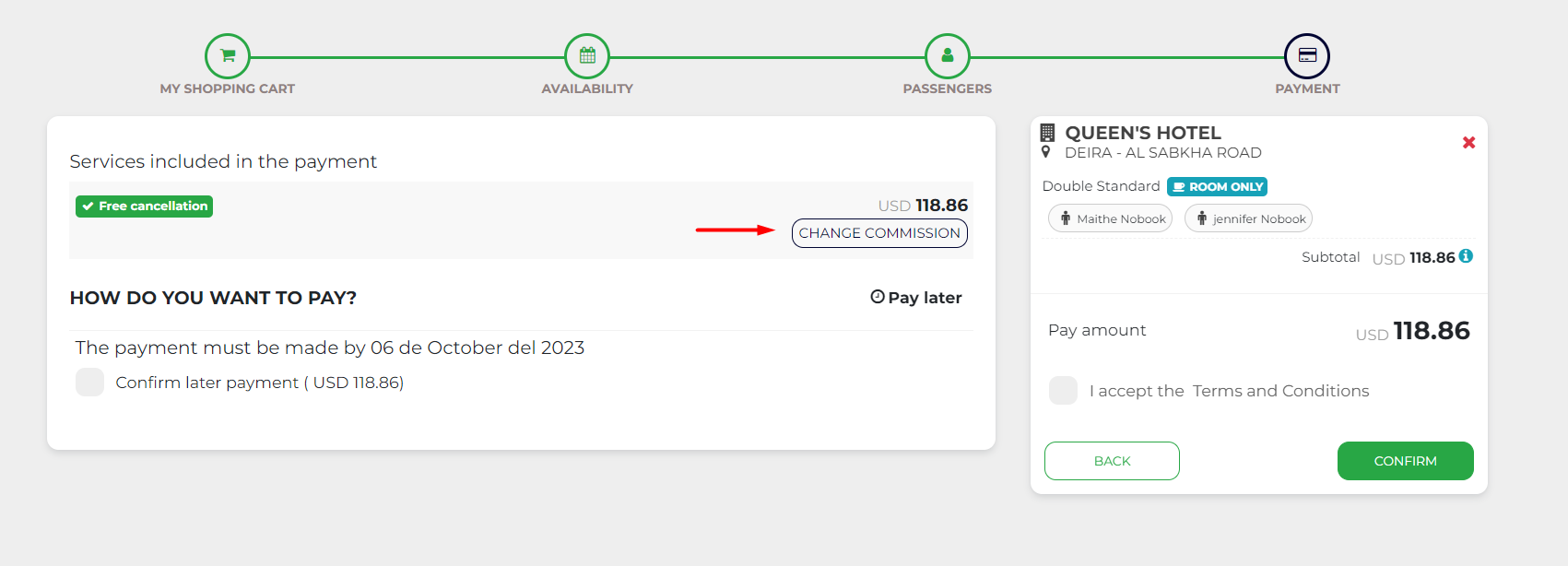
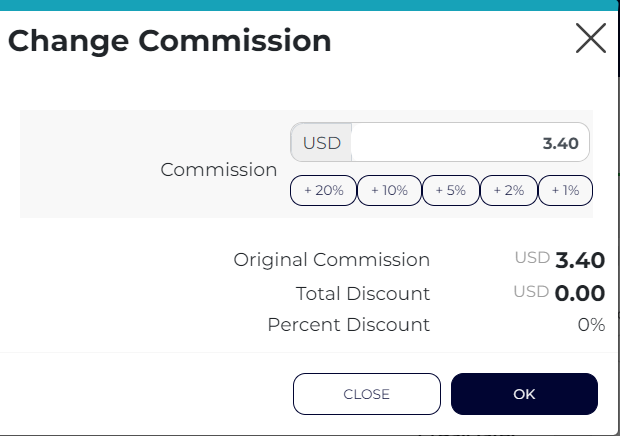
On the payment page, click “Change Commission” → select the desired discount percentage, or manually change the amount → click “OK” → the value will be updated automatically.
Tip: We also have a module that allows agents to access this tool directly from the search page. If you’re interested in purchasing it and would like more information, just get in touch with us!
Was this article helpful?
That’s Great!
Thank you for your feedback
Sorry! We couldn't be helpful
Thank you for your feedback
Feedback sent
We appreciate your effort and will try to fix the article