Error description
When attempting to create a booking, the system may display the following message:
Unable to create the booking: Bad Request
Passenger.DocumentTypeMatch.NotAllowed
Multiple Passengers with the same Travel Document Type and Number are not allowed, including Infants.
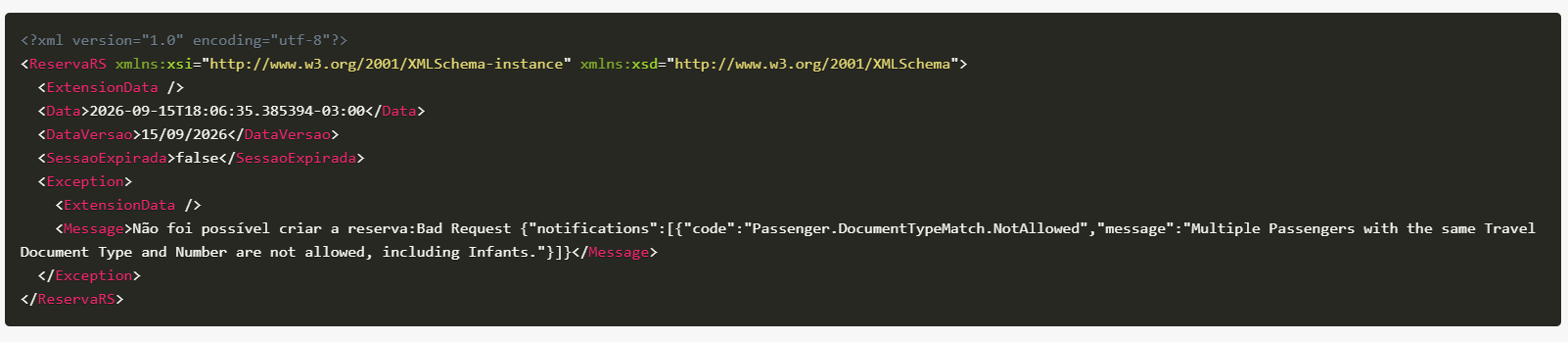
What does it mean?
This error indicates that two or more passengers in the same booking are being submitted with the same travel document type and number.
The validation also applies to Infant passengers. Therefore, an adult passenger's document cannot be reused for another passenger, including children or infants.
Possible causes
This error may occur when:
- Two passengers have the same document number.
- The same ID document, passport, or other travel document was entered for different passengers.
- The responsible adult's document was also used for a child or infant.
- An integration or automatic data-filling process duplicated the document information between passengers.
How to fix it?
Review the passenger information in the booking and confirm that each passenger has the correct document details.
Pay special attention to:
- Document type.
- Document number.
- Passenger associated with the document.
- Document information provided for children and infants.
After correcting the duplicate information, try creating the booking again.
Important
The Bad Request message indicates that the submitted data did not pass the supplier's validation. As a result, the request is rejected and the booking is not created.
If the error continues even after reviewing the passenger documents, we recommend checking the integration request to determine whether any document information is being sent more than once.
Was this article helpful?
That’s Great!
Thank you for your feedback
Sorry! We couldn't be helpful
Thank you for your feedback
Feedback sent
We appreciate your effort and will try to fix the article