Concept
The 30-Minute Timer is a Cangooroo feature designed to assist users during the pre-booking process.
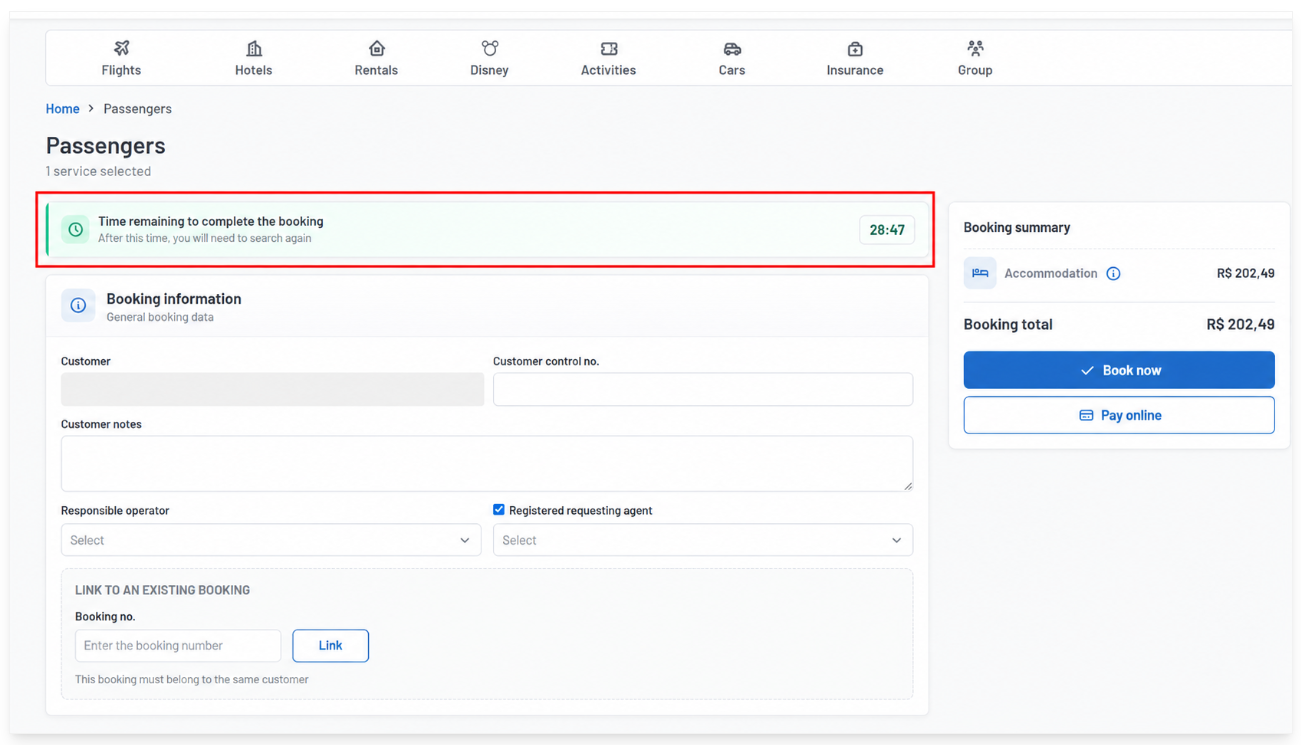
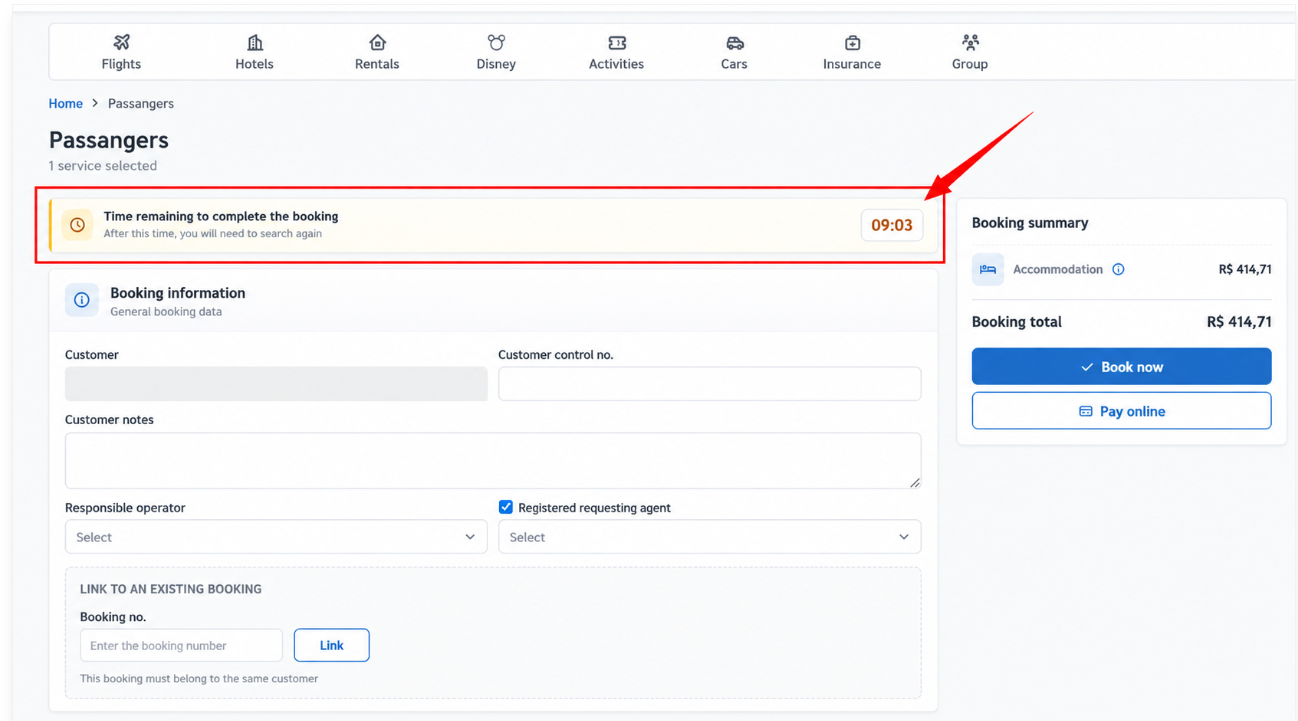
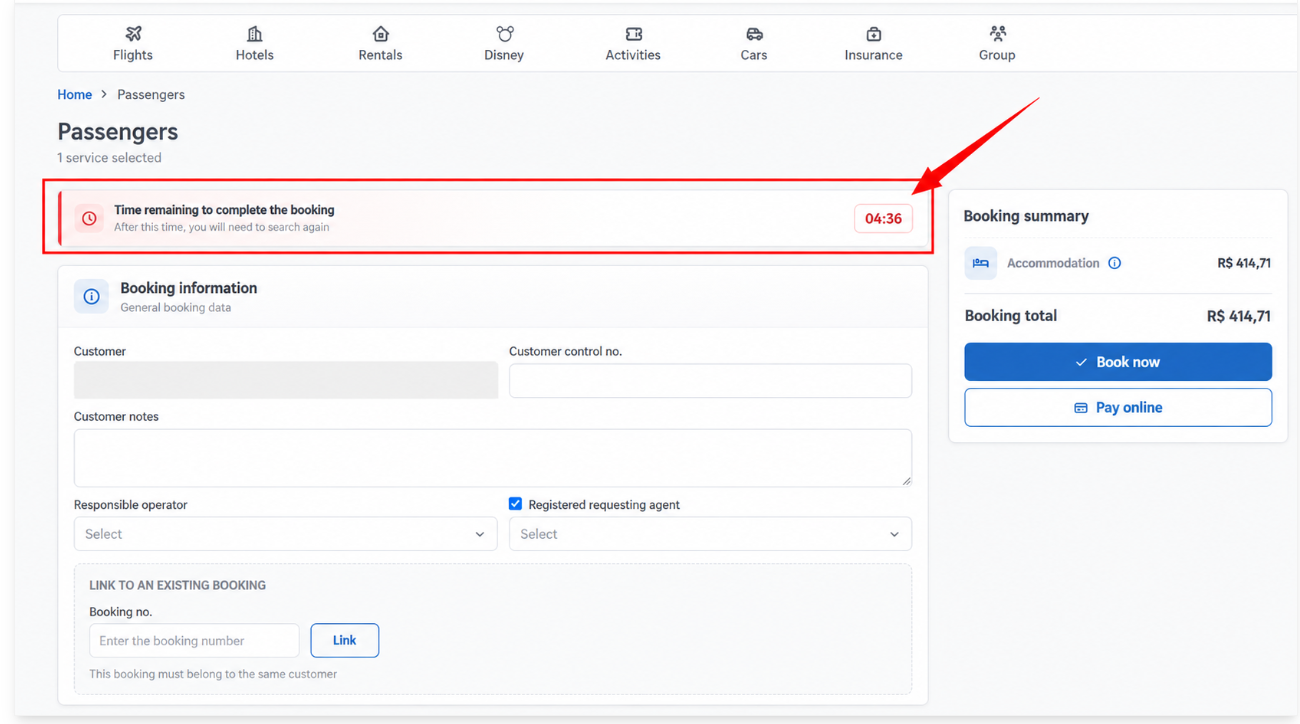
When accessing the pre-booking page, the user has up to 30 minutes to complete the process. The timer provides a visual indication of the remaining time using three colors:
Green: indicates that there is still enough time to complete the booking.
Yellow: indicates that time is progressing and the user should pay attention.
Red: indicates that the time limit is approaching and the booking should be completed as soon as possible.
If the booking is not completed within 30 minutes, the page will expire and Cangooroo will display the following message:
“The page time limit has expired. Please search again and try once more to ensure updated price and availability.”
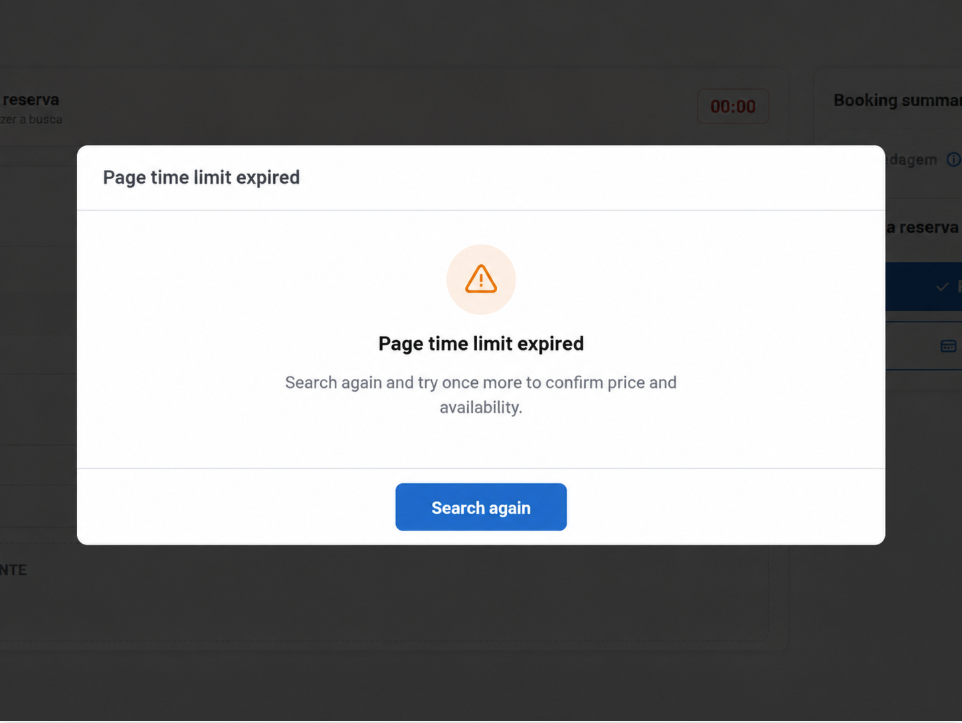
To continue, simply click “Search Again”. Cangooroo will return to the search page while keeping the criteria from the previous search, so the user does not need to enter the search information again.
This feature helps prevent confirmation attempts after the pre-booking period has expired and allows a new search to be performed to obtain updated price and availability information.
Was this article helpful?
That’s Great!
Thank you for your feedback
Sorry! We couldn't be helpful
Thank you for your feedback
Feedback sent
We appreciate your effort and will try to fix the article